

IcyScreen 4.14
IcyScreen allows you to take screenshots of the screen or an active window
Program info
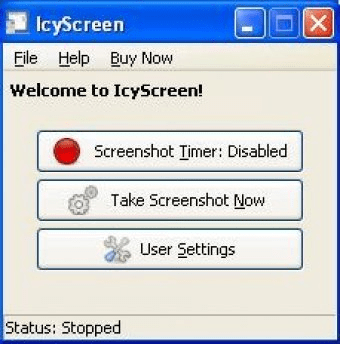
IcyScreen is a screen capture solution that allows you to take screenshots of the whole screen or an active window. It also includes a timer that allows you to take screenshots every specified number of seconds, minutes, etc. Before using the program, you must configure the settings first. On the settings menu, you set the type of screenshot you wish to take, the format, the timing in the case of automatic captures, tweaks, warning messages that are displayed certain seconds before taking a screenshot and save details like file name and directory, among other things. The program also allows you to upload the screenshots to a server via FTP, send them via email from your account specifying the login and message details beforehand, and upload them to an ImageShack account. Other advanced features of the program include proxy options, keyword detection, security options (passwords and file access), monitor selection, and error handling, among other miscellaneous options. Unfortunately, the app only features two capture modes and it doesn't include an editor to edit your images.
In short, IcyScreen is a comprehensive screen capture tool, which lacks a few features, but includes many others not frequently found in other similar applications.
Pros
- Fully customizable
- Advanced features not present in many similar applications
- Nice user interface
- Timer for automatic screenshots
- Many output options
Cons
- Only two types of capture
- No editor
Details
Extensions

No information available
The data will be available later.Awards


Related software

Powerful but easy-to-use automated screen-capturing system

It allows you to take screenshots of your current screen.

Capture screenshots and videos of your screen.
Related stories
See all
We have gathered five services based on neural networks that will help you create your own bizarre and captivating images.

Explore lesser-known AI tools like Adobe Firefly, Freepik, Canva, DreamStudio, and Ideogram for stunning social media imagery.

Do dual-screen laptops really marry Technology and Productivity? Can you multitask on one properly? Let's see what those devices are about.


Comments